Respond to an attack
Someone is hammering one of your hosts. What to look at, what to ban, what to tune — in the order you reach for them.
Most of what you need is already wired: CrowdSec is running in front of your edge, the WAF logs every Coraza/CRS match, and argos aggregates both into the Security overview. The playbook below is "what do I click while it is happening" and "what do I change to stop it from happening again".
1. Confirm it is real traffic
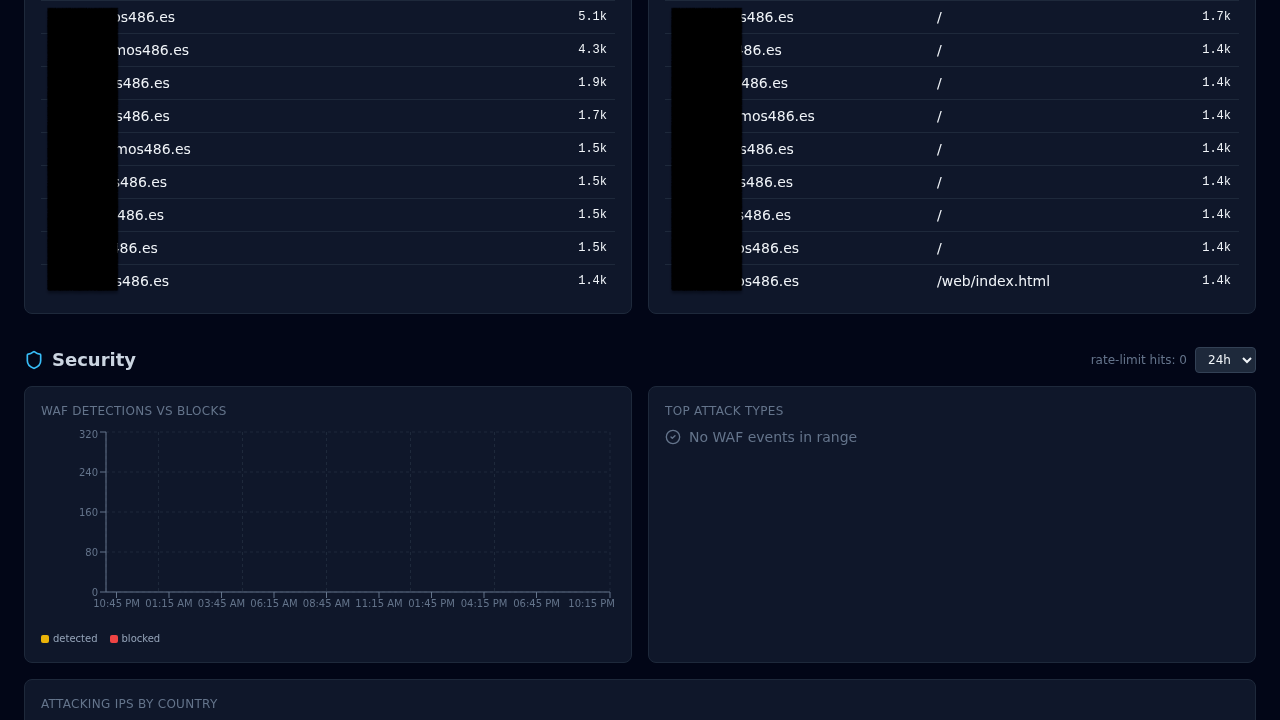
First read: Security overview (/security). The four KPI cards tell you whether a real incident is in progress:
- Blocked 24h — a sudden non-zero jump on a host that is normally quiet is the loudest signal.
- Critical alerts 24h — the notifications side of the same story.
- WAF enabled and Rate limited — sanity check that the protections you expect are actually on.
The per-domain table right below localises the attack to a single host (the one with the highest Blocked 24h) and the two action buttons on the row take you to Configure (per-host security) or Logs (WAF audit rows for that host). See Security overview for the full card + table layout.
Then jump to Dashboard → Security for the request-side view:
- Blocked last hour / 24 h — CrowdSec bouncer + WAF blocks.
- Attack sources — world map of offending IPs with GeoIP country flags.
- Top offending IPs — sorted by hit count in the window.
- Top rules — which CRS rule fired most.
If the cards on both pages are hot, you have a real incident. If they are cold but the backend is struggling, it is a load problem, not an attack — skip to Tuning.
2. Identify the pattern
Open Threats for the current CrowdSec decisions list. Each decision carries:
- IP (or CIDR).
- Scenario — the CrowdSec label that produced the ban (
crowdsecurity/http-probing,crowdsecurity/http-bf-wordpress_bf, ...). Useful to understand what is being tried. - TTL — how long CrowdSec will keep the decision active.
- Origin —
crowdsec(local detection) vscommunity-blocklist(the community feed).
Alongside it open Logs with filter source = waf_audit and the timeframe set to the last hour. The WAF audit entries include the matched rule, anomaly score, path, and remote IP. Sort by waf_anomaly_score DESC to surface the loudest requests.
3. Block one IP (manually)
Rarely needed — CrowdSec is usually already ahead of you — but when you want a specific IP banned immediately:
Threats → Add decision:
- IP: the offending address.
- Duration:
4h,24h,7d, or a custom string. - Reason: free text, ends up in the audit log.
The decision takes effect on the next request (Caddy polls CrowdSec LAPI every crowdsec.poll_interval_seconds, default 15 s). The IP sees 403 from the bouncer before any request reaches the WAF or your upstream.
To unban: same tab, find the row, click Delete decision.
4. Block a path or a header pattern
If the attack is better characterised by path than by IP (scanners hitting /wp-login.php on a non-WordPress host, for example), create a rule on the host:
Hosts → your host → Rules → New rule:
- Priority: any low number. Rules evaluate low-first.
- Matchers: path
=/wp-login.php(orstarts_withetc.). - Action:
block(returns 403).
The rule lands in Caddy on the next reconcile. curl the path from outside to confirm the 403.
5. Turn the WAF to block if it was in detect
If you ran the WAF in detect mode (Add a host step 5), this is when you flip it:
Hosts → your host → Security → WAF mode = block. Save.
In-band CRS matches now return the configured block status (default 403). Watch AppSec → metrics for the next few minutes — a clean WAF rollout shows Hits going up for the attack rule(s) and not for your own traffic. False positives on legit endpoints mean you need exclusions, not a mode revert:
Hosts → your host → Security → Exclusions → New:
- CRS rule ID (from the WAF audit log).
- Path pattern (scope to the endpoint that trips the false positive).
- Reason (free text for the audit log).
Narrow the scope as much as possible — a path-level exclusion is fine, a rule-wide disable is blunt.
6. Turn on rate limiting if you did not already
Hosts → your host → Security → Rate limit enabled.
- Key:
ipfor per-client limits (most common),globalif you are under a distributed burst and can accept the shared-pool trade-off. - Requests / Window: start permissive, tighten if the attack continues.
100 / 60is a reasonable first try for a path the attacker is enumerating.
Requests over the limit return 429 with a Retry-After header and show up in caddy_access logs with status 429 so you can measure the effect.
7. Wire a notification rule (so the next incident auto-alerts)
If you had to go looking at the dashboard to find out this was happening, wire a rule so the next one pages you instead.
Notifications → Rules → New rule:
- Event type:
waf_attack_burstorrate_limit_triggered— see Notifications for the full event catalog. - Channel: whatever you have configured (Slack webhook, email, Telegram, browser push).
- Filter by host if you want noise scoped.
- Throttle window:
300seconds. Dedups bursts so you do not drown.
Test: Channels → your channel → Test channel sends a canary message.
8. Afterwards
Once the attack has subsided:
- Logs filter
source = waf_audit AND host_domain = *your host*, export to CSV if you want an incident artifact. - Threats — review the decisions added during the incident. Long-duration bans (7d+) age out on their own. Short ones do too; usually no cleanup needed.
- Exclusions — if you added any in a hurry, revisit them next week to confirm scope is still as narrow as possible.
- AppSec paranoia — if the attack pattern tripped too few CRS rules, consider bumping
waf_paranoiafrom1to2on the host. Higher paranoia is noisier but catches more.
Related
- WAF — Coraza/CRS internals + modes.
- CrowdSec — bouncer + community feed.
- Notifications — event catalog + channel setup.
- Monitoring — what to watch continuously.