WAF
Argos integrates an inline Coraza + OWASP CRS WAF via the CrowdSec AppSec component. Three runtime modes, per-host opt-in, per-host-per-rule exclusions, and per-host custom SecRule text.
Looking for setup or fail-policy?
This page covers rules, exclusions, paranoia levels, and the metrics dashboard. For the install path (AppSec collections are not enabled in the stock CrowdSec image), the LAPI-vs-AppSec distinction, and the appsec.fail_open setting, see AppSec (CrowdSec WAF-inline).
Architecture
                Caddy receives request
                         |
          CrowdSec bouncer pre-check (external IP bans)
                         |
          [AppSec round-trip if WAF enabled on host]
                         |
               Rules + Rate limit (host_security)
                         |
                  reverse_proxy to upstream
The AppSec component is a separate HTTP listener inside the CrowdSec container: :7423 for detect mode, :7422 for block mode. Caddy calls one of the two per request when the host's WAF is enabled, and forwards the upstream request only if AppSec returns a clear verdict.
Runtime modes
One setting, appsec.mode, switches the whole panel's AppSec behaviour:
| Mode | Caddy config emitted | Effect |
|---|---|---|
detect | forwards to :7423 | Rules match, events log, request still proceeds. Default. |
block | forwards to :7422 | In-band match returns 403 from the bouncer. |
disabled | omits the appsec_url entirely | No WAF round-trip. No overhead. No protection. |
Change via System → Settings → AppSec mode, or the PATCH /api/appsec/mode endpoint. Reconciler regenerates Caddy's config on save; no restart needed.
Per-host enable
The panel-wide appsec.mode only takes effect on hosts that have opted in. Hosts → your host → Security → WAF enabled is the opt-in flag. Combine the two:
appsec.mode | host waf_enabled | Outcome |
|---|---|---|
disabled | any | No WAF. |
detect | off | No WAF on this host. |
detect | on | Detect, log, proceed. |
block | off | No WAF on this host. |
block | on | Block on match. |
The common operational pattern: ship new hosts with waf_enabled=on from day one, run the panel in detect for the first 24-48 h, flip to block once the AppSec metrics are clean.
Paranoia level
Per-host, 1-4:
- 1 — default, minimal false positives, catches obvious attacks.
- 2 — adds stricter checks (path traversal heuristics, more aggressive SQLi detection).
- 3 — catches edge cases, substantial FP rate.
- 4 — aggressive; only for hosts with well-known, stable traffic patterns.
Most homelabs never move past 1.
Block response shape
When the WAF mode is block and a match fires, AppSec returns a code that Caddy surfaces as the configured block status (default 403) with the configured block body. Both fields live in host_security:
waf_block_status— int, default 403. Anything valid HTTP.waf_block_body— string, default empty. Shown as the response body.
Exclusions
Per-host, per-rule, optionally scoped to a path pattern.
Hosts → your host → Security → Exclusions → New:
- CRS rule ID (int from the WAF audit log).
- Path pattern (empty = applies everywhere, non-empty = scoped).
- Reason (free text).
- Enabled toggle.
Prefer narrow exclusions. path=/api/upload + rule=920420 beats rule=920420 everywhere.
Custom rules
Per-host free-form SecRule text. Written directly in the Coraza SecLang dialect:
SecRule REQUEST_URI "@contains /admin" \
    "id:9999,phase:1,deny,status:403,log,msg:'admin path probe'"
Managed in Hosts → your host → Security → Custom rules. IDs in the 9xxxx range are the recommendation to avoid collisions with the CRS namespace.
Syntax errors are caught at reconcile time and the push to Caddy fails; the panel surfaces the error on the next save attempt.
Finding what is matching
Logs tab with filter source = waf_audit surfaces every WAF audit entry. Useful columns:
waf_rule_id— the CRS (or custom) rule number.waf_rule_message— the rule'smsg:field.waf_severity—CRITICAL/ERROR/WARNING/NOTICE.waf_anomaly_score— sum of anomaly scores for the request.path/remote_ip/user_agent— the usual.
Bursts of matches with the same rule ID on the same path + User- Agent from one IP = an attacker. Bursts on your own legit paths = a false positive.
Metrics
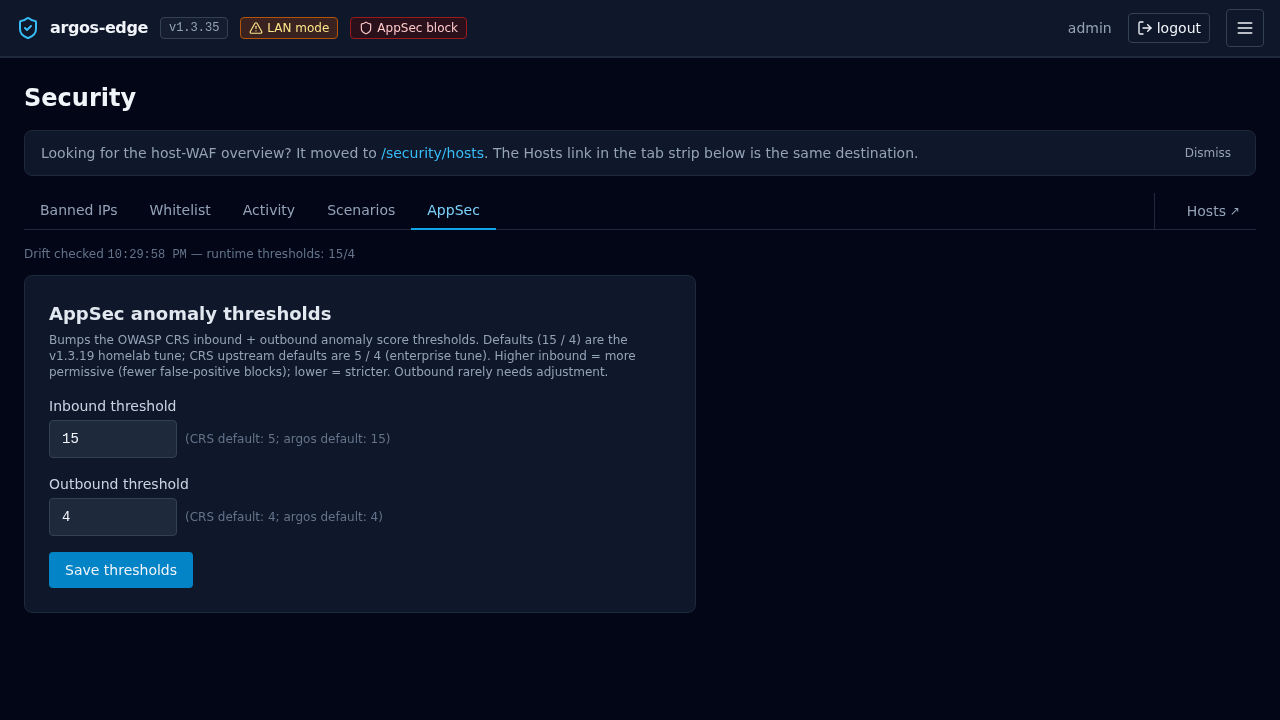
AppSec tab aggregates over a rolling window (1h / 6h / 12h / 24h, selectable):
- Hits per rule.
- Severity distribution.
- Top paths that triggered rules.
- Top blocked IPs (in block mode).
Limitations
- No request body inspection past the limit — Caddy buffers up to a configured body size before handing to AppSec; larger bodies are streamed and the WAF sees only the beginning. Tune via Caddy's
max_request_bodyif you change defaults. - No rule chain editor — if you need to write multi-step Coraza rules with chain semantics, write them in the custom rules text field. The UI does not decompose chains.
- No per-method exclusions — exclusions are scoped by path + rule ID, not method. Use a custom rule with a method matcher if you need method-granular exceptions.
Related
- CrowdSec — external IP bans (fires BEFORE WAF).
- Reverse proxy — where
host_securityconnects to the edge pipeline. - Respond to an attack — operational playbook.