Settings
/settings holds the knobs that don't fit on a feature page of their own: session-cookie timeouts and the log-retention controls. Other configuration (backups, SSO, 2FA, GeoIP, appsec mode, per-host security) lives under System or the dedicated feature tab.
The page is narrow on purpose — two sections, short forms, a purge button. Everything writes to the settings table via PUT /api/settings/<key>; changes take effect on the next request (no restart).
Security section
Session cookie lifetimes. Both are stored in hours and validated before save.
Session absolute timeout
- Key:
session.absolute_timeout_hours - Range: 1..720 hours (1 hour to 30 days)
- Default: 168 (7 days)
The hard ceiling on any session, regardless of activity. Even an actively-used session logs out after this window.
Session idle timeout
- Key:
session.idle_timeout_hours - Range: 1..absolute_timeout_hours (cannot exceed the absolute timeout)
- Default: 24
The inactivity cutoff. A session that has not seen a request in N hours lapses and the user is bounced to /login.
The form validates idle ≤ absolute client-side before sending — an invalid combination surfaces a red toast and is not written.
Read-only info
Below the save button, three lines of context that are informational only:
- Panel mode —
lanorbehind_caddy, sourced fromARGOS_PANEL_MODE. - Panel domain — the configured
ARGOS_PANEL_DOMAINwhen set. - Secure cookies —
truewhenpanel_mode=behind_caddy,falsein LAN mode. Not a toggle; set by panel mode.
These are not editable here — they come from environment variables at container start. See Env vars reference.
Logs section
Log retention + on-demand purge. Applies to every source stored in log_entries (Caddy access, Caddy error, audit, WAF audit).
Retention (days)
- Key:
logs.retention_days - Range: 1..365
- Default: 30
The nightly purge job (and the Purge now button below) delete any row older than N days. No soft-delete, no archive — if you need history beyond retention, export to CSV from Logs browser before the purge runs.
Max entries
- Key:
logs.max_entries - Range: 10,000..5,000,000
- Default: 500,000
A ceiling on the table regardless of age. When the table exceeds this count, the oldest rows are evicted on the next purge. Useful if you have a burst (ingest attack, crawler spree) that would otherwise push retention past what the volume can hold.
The two limits compose — whichever fires first wins. A 30-day retention plus a 500 k cap means: keep 30 days of logs, unless that exceeds 500 k rows, in which case drop the oldest regardless of age.
Purge now
Runs the same retention job on demand. Useful:
- After tightening retention — the next scheduled purge is hours away and you want the cleanup immediately.
- After a massive ingest event (scanner burst, misbehaving upstream spamming 500s) before the table growth affects query latency.
A browser confirm() dialog guards the click — the purge is NOT reversible. A toast reports the number of rows removed on success.
Current entries counter
Bottom-right of the Logs form. Reads Current: <n> entries live, re-queried after each save and after each purge so the number reflects the post-action state.
Raw settings
A collapsed <details> block at the bottom prints the full logs.* setting rows as JSON. Useful when you need to eyeball keys that are not exposed as form fields (cron expressions, internal toggles) or when writing a script that hits PUT /api/settings/<key> directly. Treat it as read-only inspection, not an editor.
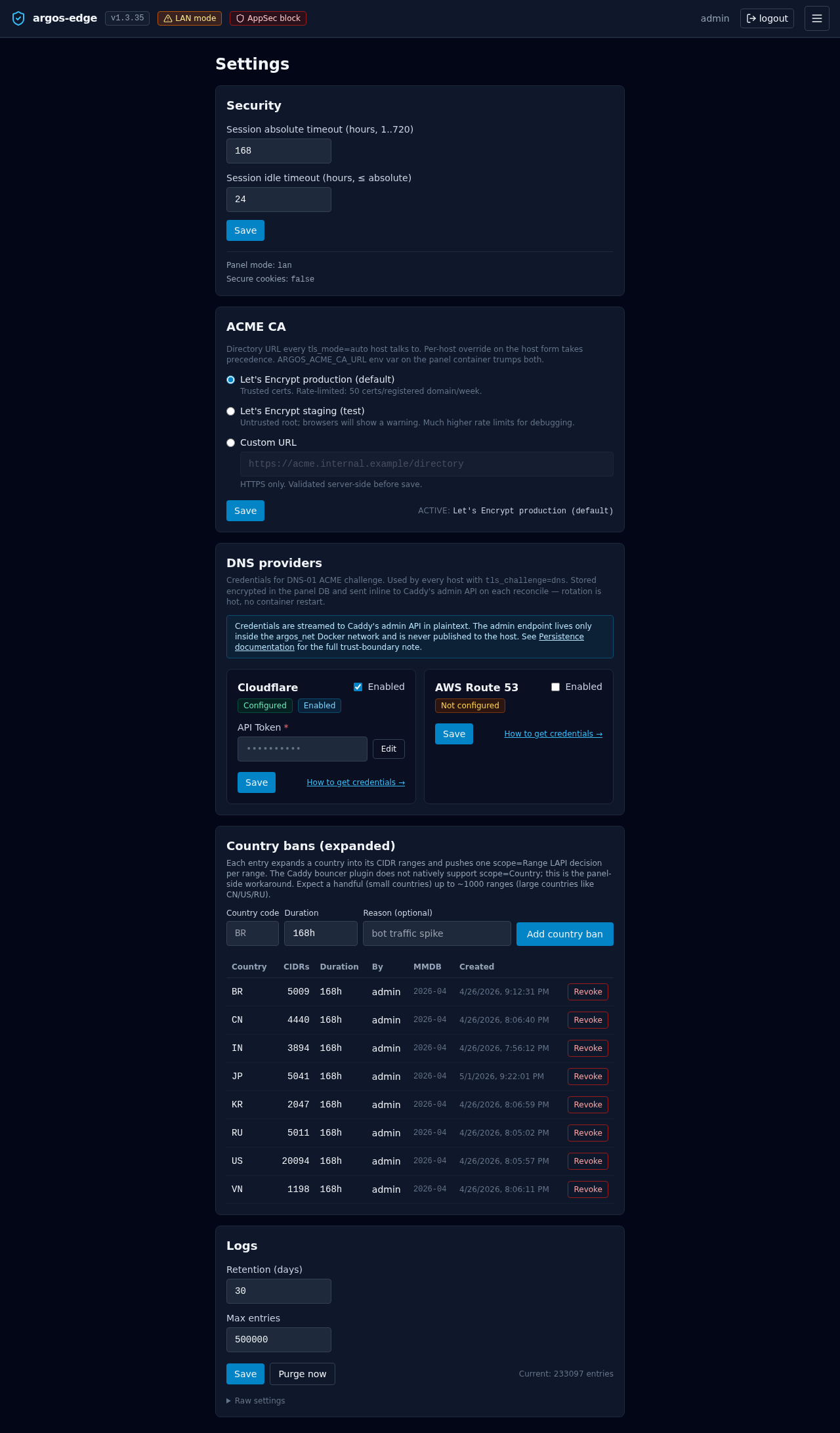
ACME CA section
The ACME CA block on this same page (added in v1.0.1) controls which ACME directory URL every tls_mode=auto host uses. Full documentation: Reverse proxy → ACME CA options. Shortcut: flip to staging during development to avoid burning LE production rate limits; flip back to production when shipping.
Related
- Logs browser — where the retention settings apply. CSV-export before purge if you need the history.
- Observability — the full view of what lands in
log_entries. - Env vars reference — the read-only context shown in the Security section.
- Tuning — when to bump retention vs max-entries on a busy panel.