Notifications
Event-driven alerting. Argos emits discrete events (cert expiring, WAF burst, target unhealthy, backup finished, login failed, and more), you attach channels + rules, the worker fans events out to webhook / email / telegram / browser-push endpoints with per- channel rate limits and per-rule throttle windows.
Model
- Event — what happened.
cert_renewal_failed,waf_attack_burst, etc. Emitted by background watchers inside argos. Fire-and-forget. - Rule — binds an event type to a channel, optionally filtering by host or severity, with a dedup window.
- Channel — one delivery endpoint of a given type. Several rules can share one channel.
- Sender — the type-specific worker (webhook/email/telegram/ browser_push) that hits the third-party service.
Event catalog
Every event carries type, severity, message, data, and an optional host_id.
| Event | Triggered by |
|---|---|
cert_expiring_soon | Daily check, cert within 14 days of expiry. |
cert_renewal_failed | Caddy's ACME renewal returned an error. |
waf_attack_burst | AppSec match rate over threshold in rolling window. |
waf_detect_mode_reminder | Host still in detect after N days; nudge to flip to block. |
target_unhealthy | Active health check flips a target to unhealthy. |
target_recovered | Target back to healthy after a prior failure. |
config_change | Any audited mutation to hosts / target groups / rules / security. |
rate_limit_triggered | Host rate-limit fired on a request. |
login_failed | Failed password attempt (pre-ban). |
health_degraded | /system/health flags a subsystem (DB, worker queue, etc.). |
backup_completed | Scheduled or manual backup finished successfully. |
backup_failed | Backup error. Includes error string in data. |
config_restored | Restore endpoint extracted an archive. |
threat_ip_banned | A new CrowdSec decision was created via the panel. |
threat_intel_updated | Community blocklist pulled, N new / N expired. |
crowdsec_down | LAPI unreachable for long enough to page. |
Severities are info, warning, error, critical. The frontend renders them with matching colors; senders can branch on severity too.
Channels
Four types, all implemented and active in the worker:
webhook
Generic HTTP POST. Config fields:
url(required)method— defaultPOST.headers— map of string → string, applied literally.body_template— Go-text-template over the event; default is the full event marshalled as JSON.
Use for Slack (incoming webhook), Discord (webhook URL with a {"content": "..."} body template), Gotify, custom webhook endpoints.
email
SMTP-based. Config fields:
host,port,username,password_encryptedtls_mode—starttls,tls, ornone.from,to(comma-separated list).subject_template/body_template— Go-text-template.
Password is encrypted at rest with ARGOS_MASTER_KEY. Use with a dedicated SMTP relay (Mailgun, Postmark, Amazon SES) — avoid shared personal mailboxes.
telegram
Telegram Bot API. Config fields:
bot_token_encryptedchat_idparse_mode—HTML(default since v1.3.34.1) orMarkdownV2. See "parse_mode" below for the trade-offs.message_template— Go-text-template over the event; default renders an HTML-formatted event summary.
Message ≤4096 chars per Telegram's limit. The sender splits longer messages automatically.
parse_mode: HTML (default) vs MarkdownV2
Telegram exposes two structured-text modes (Bot API docs). Argos defaults to HTML because:
- HTML only requires escaping three characters (
<,>,&). - MarkdownV2 requires escaping eighteen (
_*[]()~\>#+-=|{}.!). Event types likeconfig_changecarry underscores; if any one slips through unescaped, Telegram rejects the message with a cryptic byte-offset 400 and the worker records the delivery asfailed`.
Default HTML template (effective when message_template is empty):
{{ .Severity | severityEmoji }} <b>{{ .Type | escapeHTML }}</b>
{{ if .HostDomain }}host: <code>{{ .HostDomain | escapeHTML }}</code>{{ end }}
{{ .Message | escapeHTML }}
The escapeHTML template function wraps html.EscapeString from the Go stdlib. Always pipe operator-supplied or event-derived strings through it when you build a custom template, otherwise a pasted < in a hostname or message will break the parse.
If you want MarkdownV2 (e.g. you have an existing template that relies on it), set parse_mode: "MarkdownV2" in the channel config and pipe every dynamic field through the escapeMD template function:
Existing channels that were created before v1.3.34.1 with an explicit parse_mode: "MarkdownV2" keep their setting — the v1.3.34.1 default change only applies to new channels and to channels with parse_mode unset.
Auto-migration of pre-v1.3.34.1 channels (v1.3.34.2+)
v1.3.34.1 changed only the default template + parse_mode shape, which left a gap: any Telegram channel whose row had already been persisted with the old MarkdownV2 default body in the template column (or parse_mode: "MarkdownV2" in the encrypted config blob) kept rendering with the old syntax and kept returning Telegram 400 errors.
v1.3.34.2 ships a boot-time auto-migration that closes that gap:
- On every panel boot (after schema migrations, before HTTP serving begins), the panel scans
notification_channelsrows wheretype='telegram'. - For each row whose
templatecolumn is byte-equal to the pre-v1.3.34.1 default literal, the column is set to''soRenderfalls through to the new HTML default. - For each row whose
config.parse_modeisMarkdownV2, the key is removed from the encrypted config blob so the sender falls back toHTML. - A one-byte deviation from the legacy literal means the operator customised the template; the migration leaves it untouched.
- The migration is idempotent: re-running it on a clean DB touches zero rows.
The boot log line to watch for:
notifications: legacy Telegram migration complete
  channels_scanned=N templates_cleared=M parse_modes_cleared=K
Diagnosing channel state without sqlite3
The panel image does not ship sqlite3 and the API requires auth. v1.3.34.2 adds an argos channel inspect subcommand for operators who need to see what's persisted:
The output prints id, name, enabled, rate_limit, the JSON-quoted template (newlines visible as \n), the config keys with secret fields replaced by ***REDACTED***, and two diagnostic annotations specifically for Telegram channels:
template-state: one ofempty/LEGACY/customised, so the operator can confirm whether the auto-migration would apply.parse_mode-state:unset/pinned to MarkdownV2/pinned to HTML/pinned to <custom>.
If a row reports template-state: customised and you want to adopt the new HTML default anyway, edit the channel from the panel UI and clear the Template field (leave it blank); the default fallback resumes immediately on the next render.
browser_push
Web Push via VAPID. Keys auto-generate on first boot and live in the notification settings table. Per-user subscriptions (push_ subscriptions table) are created when a signed-in user clicks Subscribe in the panel's notification center.
Each sub stores endpoint + p256dh key + auth key; the sender uses the panel-global VAPID private key to sign the message. Chrome / Firefox / Edge (v20+) / Safari (macOS 13+) all supported.
Rate limit per channel
Each channel has a token-bucket rate limiter:
- rate_limit_per_minute — capacity AND refill rate (tokens per minute). Default 10.
perMinute=0disables limiting on the channel.
Exhausting the bucket does not drop events — the worker records a rate_limited delivery in the notification_deliveries table with error text, so you see that notifications tried to fire and got held back. Bumps to the rate limit are live; the bucket rebuilds itself on the next Allow() call.
The bucket is evicted on channel delete so a recreated channel with the same id starts fresh.
Throttle per rule
Separate from the channel rate limit, each rule has a throttle_window_seconds that dedups the same event on the same rule within the window:
- 0 (default) = no dedup, every event delivers.
- 300 = a second
target_unhealthyfor the same host within 5 min is suppressed.
Throttle state is in-memory; a panel restart clears it.
Deliveries history
Every attempt (success, failure, rate-limited, throttled) lands in notification_deliveries:
status—pending/sent/failed/throttled/rate_limited.event_payload— the full marshalled event.rendered_payload— what the sender actually produced (post-template).error_message— if failed.attempts— retry counter; default max 3 with exponential backoff starting at 2 s.
View in Notifications → Deliveries. Individual deliveries have a Retry button that replays through the sender.
Getting started
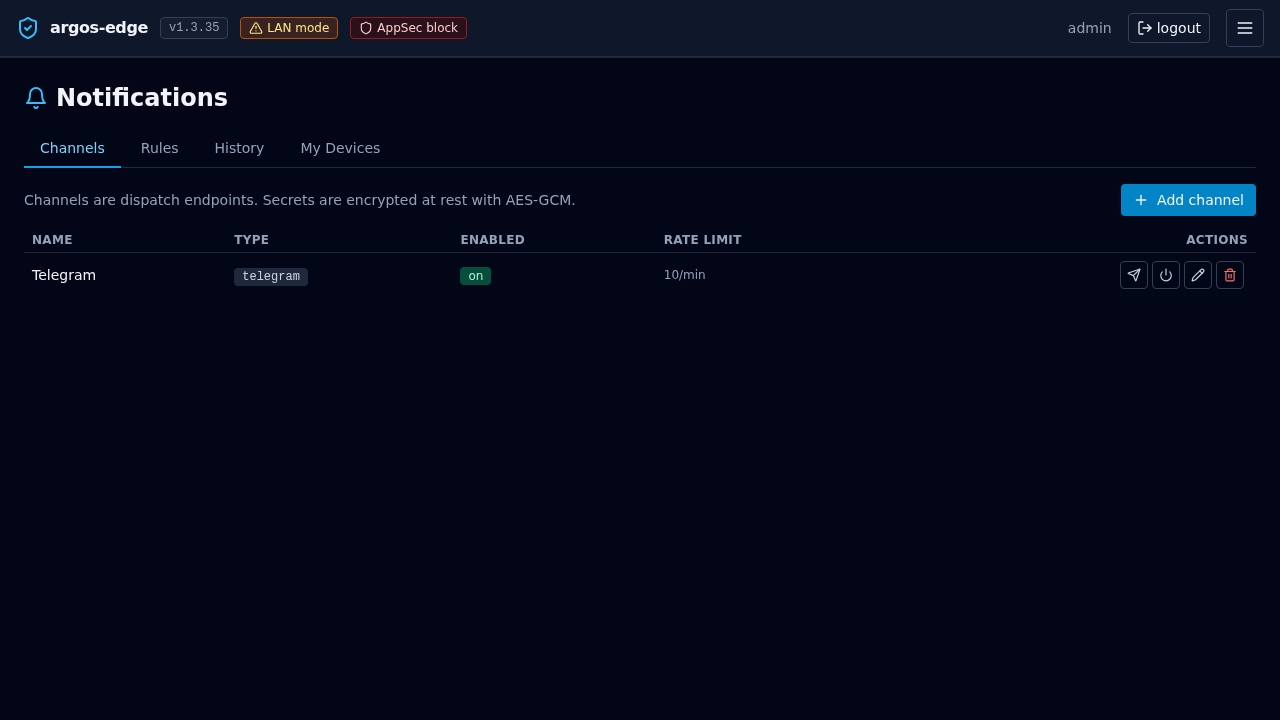
- Notifications → Channels → New channel. Pick a type, fill the required fields, Test channel to send a canary.
- Notifications → Rules → New rule. Bind an event type to the channel. Start with
cert_renewal_failed+backup_failed crowdsec_down— the three that silently bite worst.- Watch Deliveries for a day. If the channel is noisy, bump
rate_limit_per_minutedown or add athrottle_window_secondson the rule.
Gotchas
- Template errors at delivery time land in the delivery row's
error_message. Test templates with Test channel before saving the rule. - Email through Gmail-without-app-password fails silently. Gmail refuses SMTP-AUTH with the account password; use an App Password.
- Telegram bot_id rotation — if the bot is revoked at @BotFather, update the token_encrypted setting and the sender recovers on the next attempt.
- Browser push on iOS — requires a PWA install; Safari on iOS only allows push for installed PWAs. Desktop Safari is fine.
Related
- Observability — where events come from.
- Respond to an attack — wiring attack-signal rules.
- Monitoring — what to watch.